
Accounting AI for Bookkeeping: How It Works, What It Automates, and Where a Human Still Matters
Small businesses are turning to accounting AI to handle the parts of bookkeeping that used to eat up an entire afternoon. In practice, AI bookkeeping uses machine learning to read receipts, invoices, and bank statements, then automatically categorizes transactions, reconciles accounts, and drafts reports. It is a tool that speeds up the record-keeping layer of the books — not a replacement for a professional’s judgment on taxes, compliance, or complex decisions.
The shift is already mainstream. According to Intuit QuickBooks, 98% of accountants and bookkeepers have used AI-powered software with clients, and Botkeeper reports that roughly 60% of accounting firms have adopted AI in some form. This article looks at what AI bookkeeping actually automates, how accurate it is compared with manual entry, whether it threatens the bookkeeper’s job, and how a small business can start using it without losing control of its books.

This article is for general educational purposes only and is not professional accounting, tax, or legal advice. Consult a licensed CPA or qualified professional before making financial decisions.
What Is AI Bookkeeping (and How Is It Different From Old Automation)?
AI bookkeeping is not the same thing as the «auto-categorize» rules that accounting software has offered for years. Traditional automation follows fixed if-then rules — if the vendor name matches X, assign category Y — and breaks the moment a transaction doesn’t fit the pattern. AI bookkeeping uses machine learning that studies a business’s transaction history and generalizes from it, so it can categorize a new vendor it has never seen based on similar past transactions. Generative AI adds a language layer on top: it can explain why a transaction was posted a certain way or answer a plain-language question about the general ledger.
Bookkeeping itself is a defined business obligation — the Small Business Administration describes managing your finances as tracking income and expenses so you always know where the business stands. AI bookkeeping sits squarely inside that recording-and-reconciling layer.
From rule-based automation to learning systems
The practical difference shows up in how each system handles an edge case. A rules engine either matches a condition or it doesn’t; a learning system estimates a probability and can flag low-confidence transactions for review instead of guessing blindly. That matters because, according to a Pearson survey cited by Intuit, generative AI could take on 30–46% of manual tasks currently performed by knowledge workers — including much of the repetitive coding and categorization work inside bookkeeping. The technology is capable of doing more of the routine work; it is not capable of replacing the review step.
Bookkeeping vs accounting — where AI fits
Bookkeeping is the recording and categorization of financial transactions — what happened, when, and in which account. Accounting is the layer above it: interpreting those records, producing statements, and making sure everything complies with tax rules and accounting standards. AI bookkeeping is strongest at the recording-and-reconciliation layer. Interpretation, tax strategy, and compliance with standards like GAAP still require a person who can be held professionally accountable for the outcome.
What AI Actually Automates in the Books
AI bookkeeping tools cluster around a handful of repeatable, document-heavy tasks: reading source documents, matching transactions to categories, reconciling bank feeds, and assembling reports. These are exactly the tasks that consume the most time in a manual process, and they are also the easiest to check for accuracy, which is why vendors have focused on them first.
- Document capture and data extraction from receipts, invoices, and statements
- Transaction categorization against the chart of accounts
- Bank and credit card reconciliation
- Draft financial statement generation (P&L, balance sheet, cash flow)
- Anomaly and error flagging during month-end close
Document capture (receipts, invoices, statements)
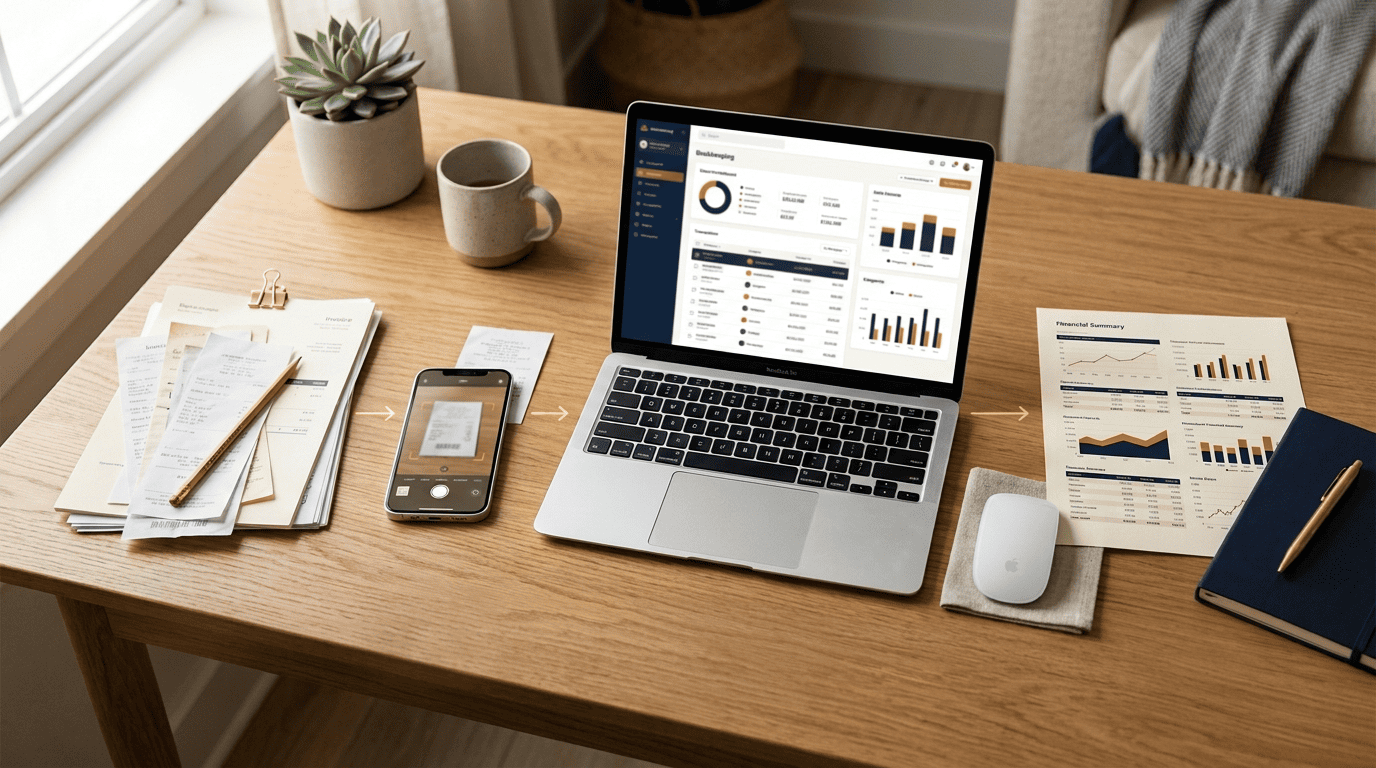
Optical character recognition combined with machine learning reads a receipt or invoice image and extracts the vendor, amount, date, and tax line, then posts it to the right account. This single task has an outsized payoff: bookkeepers reportedly spend 40–70% of their billable hours on manual data entry, according to a review by Tofu, which makes document capture the highest-leverage place to introduce automation first.
Transaction categorization & bank reconciliation
Once a transaction lands in the feed, the AI model matches it to a category based on patterns learned from prior transactions, then reconciles the bank or card feed against the books and flags anything that doesn’t line up — a duplicate charge, a missing deposit, a transaction with no matching category. This categorization-and-reconciliation loop is the functional core of what most people mean when they say «AI bookkeeping.»
Reports, month-end close, anomaly detection
With categorization and reconciliation running continuously, financial statements can be generated in something closer to real time rather than assembled at the end of the month. That compresses the close: according to research cited from MIT Sloan and Stanford, businesses using AI in their close process shortened month-end close by roughly 7.5 days. Anomaly detection runs alongside this — Gartner reports that 39% of finance functions already use AI to catch unusual transactions or errors before they reach a financial statement, which is one of the areas where AI accounting tools add value beyond simple automation.
How Accurate Is AI Bookkeeping?
Accuracy is the question every small business owner asks before trusting a machine with their books, and the honest answer is «better than manual entry, but not perfect.»
| Method | Reported error/accuracy rate | Source |
|---|---|---|
| Manual data entry | 1–4% error rate | Tofu review |
| AI-based document extraction | Accuracy above 95% | Tofu review |
| AI-assisted anomaly detection | Used by 39% of finance functions | Gartner |
The accuracy claim, in context
A review published by Tofu reports that manual data entry runs a 1–4% error rate, while AI-based extraction achieves accuracy above 95%. That is a meaningful improvement, but «above 95%» is not «error-free.» Common cases still slip through and need a human reviewer to catch:
- A receipt photographed at a bad angle or with a faded print
- A duplicate charge posted twice from two different data feeds
- An unusual or first-time vendor name the model has never encountered
- A transaction that legitimately fits more than one category
Treat the number as a floor for review effort, not a guarantee that the books are correct without anyone looking.

Why records still have to be right (IRS)
Accuracy is not only a management concern. The IRS requires businesses to keep supporting records for income, expenses, and deductions claimed on a tax return, and those records need to be accurate and retrievable if the business is ever asked to substantiate them. AI can speed up how fast those records get captured and organized, but responsibility for their correctness rests with the business, not the software.
AI is not going to disrupt the accounting profession, but it will change what an accountant does.
Mark Koziel, President and CEO, AICPA & CIMA
That framing captures the core trade-off well: AI compresses the time spent on entry and reconciliation so a professional has more time to review exceptions and advise clients on decisions that actually require judgment.
Will AI Replace Bookkeepers and Accountants?
The fear that AI will eliminate the bookkeeping profession doesn’t match what the adoption data shows so far. Firms that have adopted AI describe it as taking over the repetitive front end of the work, not the professional’s role in the process.

Augmentation, not replacement
AI absorbs the routine layer — data entry, first-pass categorization, reconciliation matching — while a person still handles disputed categorizations, estimates that require judgment, tax strategy, and the client relationship itself. According to Botkeeper, 69% of accountants view AI’s impact on their work as positive, which suggests the profession is experiencing a shift in tasks rather than a shrinking of the role. The American Institute of CPAs continues to set the professional standards and licensing framework that any AI accountant tool operates underneath — the technology doesn’t change who is accountable for the final numbers.
The new bookkeeper workflow
The practical shape of the job is changing: AI produces a first pass on categorization and reconciliation, and the bookkeeper’s job shifts toward reviewing exceptions, resolving flagged anomalies, and owning compliance. That moves the role’s center of gravity toward skills that are harder to automate and more valuable to a small business owner:
- Reviewing AI-flagged exceptions and anomalies before they reach a report
- Interpreting numbers for the business owner, not just recording them
- Owning tax strategy and compliance decisions
- Communicating directly with the client about what the numbers mean
That shift is exactly why a small business owner still wants a person to call when something doesn’t add up.
| Task | Before AI | After AI |
|---|---|---|
| Data entry & categorization | Manual, line by line | AI first pass, human spot-checks |
| Bank reconciliation | Manual matching | AI matches, flags exceptions for review |
| Month-end close | Fully manual assembly | AI drafts statements, human signs off |
| Tax strategy & complex judgment calls | Human | Still human |
| Client advisory conversations | Squeezed in around data entry | Larger share of the bookkeeper’s time |
Data Security, Compliance and GAAP
Handing financial data to an AI-powered platform raises a fair question: who can see it, and does it still meet the accounting standards a business is required to follow? Before adopting any AI bookkeeping tool, it’s worth asking the vendor directly about a few things, and understanding where the AI’s output still has to answer to a fixed accounting standard.
Encryption and access controls. Data should be encrypted both in transit and at rest, and administrative access to the underlying financial records should be limited and logged — not open to anyone on the vendor’s team.
A current SOC 2 Type II report. This is the industry-standard audit that shows a vendor’s security controls were tested over time, not just designed on paper. A vendor unwilling to share one is a signal to keep looking.
Client data isolation. In a multi-tenant platform, one client’s financial data should never be reachable from another client’s account, even through a bug or misconfiguration.
An exit plan. Ask what happens to the business’s data if it cancels — whether it can export a full, usable copy of its books, not just a partial report.
GAAP compliance, not a shortcut around it. Financial statements in the United States are expected to follow Generally Accepted Accounting Principles, which are set by the Financial Accounting Standards Board. An AI bookkeeping tool should help a business stay inside those standards — consistent categorization, proper accrual treatment, correct statement formatting — not create a shortcut around them. Whether the output actually conforms to GAAP for a given business’s situation is still a professional’s call, not the software’s.
These are general due-diligence points, not an endorsement of any specific vendor — the answers should be verified directly with whichever provider a business is evaluating.
How to Start With AI Bookkeeping (Without Losing Control)
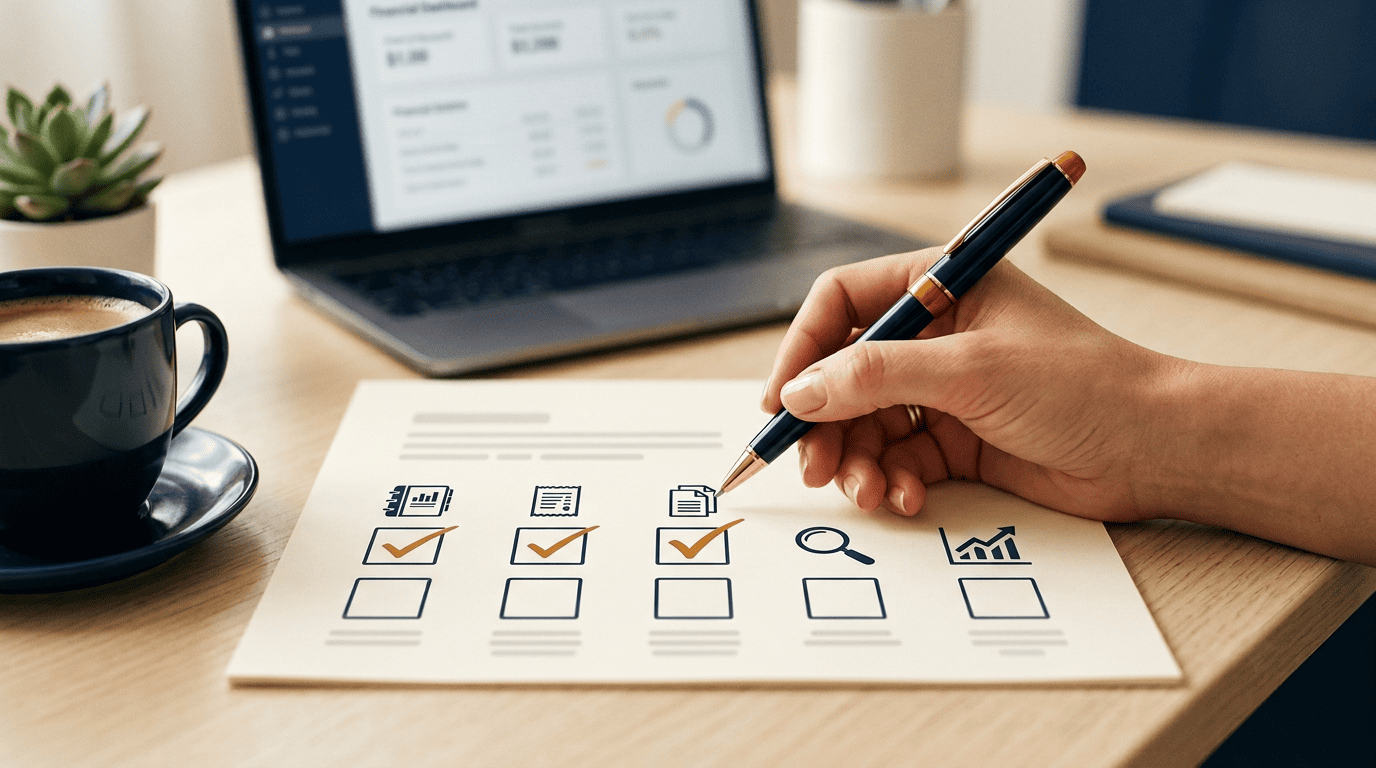
Adopting AI bookkeeping doesn’t have to mean handing over the entire ledger on day one. A staged rollout keeps a human check in place while the business builds confidence in what the tool gets right.
A practical, low-risk rollout
- Clean up the chart of accounts so categories are consistent before AI starts learning from them.
- Connect AI to a single process first — receipt and invoice capture is usually the highest-payoff starting point.
- Run AI and manual review in parallel for at least a month, comparing categorizations before trusting them unsupervised.
- Expand to reconciliation and reporting only after the first process has proven reliable.
- Keep a scheduled human review of flagged exceptions and anomalies as a permanent step, not a temporary one.
Questions to ask before you commit
Compatibility matters as much as accuracy. Before committing to a tool, get clear answers on:
- Does it integrate directly with the software already in use, such as QuickBooks or Xero, or will it require exporting and re-importing data?
- How are exceptions routed for human review, and how quickly?
- Who is responsible if a categorization error leads to a reporting mistake?
- Can the business export its full data if it switches providers later?
An AI bookkeeping assistant that can answer day-to-day questions about the books in plain language is a useful complement to this rollout, but it works alongside a reviewer, not instead of one.